
Introduction – What are human loop assistants?
Table of Contents
- Introduction – What are human loop assistants?
- HITL for compliance, security, and risk management
- Human loop assistants in customer service and enterprise AI
- Step-by-step framework for adding HITL to AI workflows
- Platform patterns – n8n, Zapier, Temporal, CrewAI, and Tines
- Risk and confidence-based architecture for human loop assistants
- Practical tips to start with human loop assistants
- Conclusion and next steps with LYFE AI
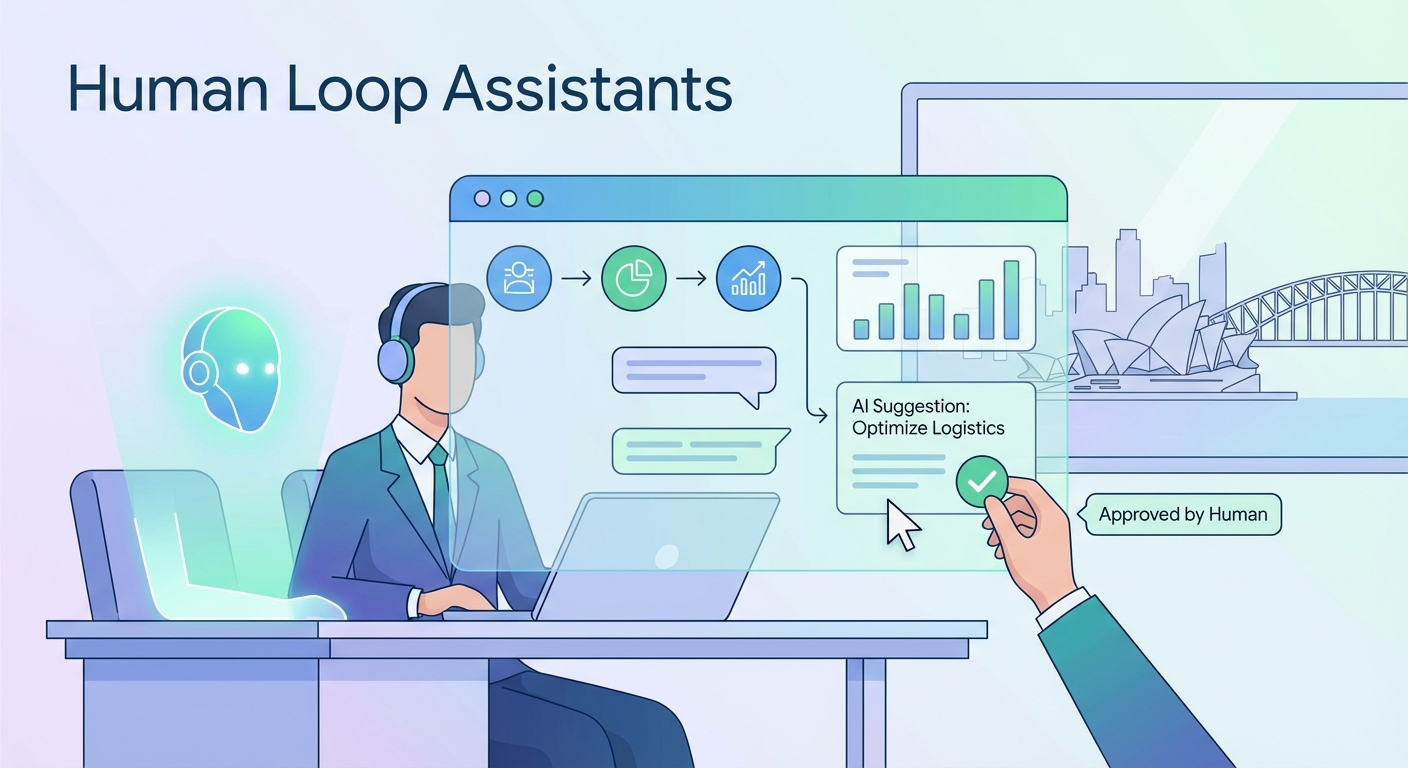
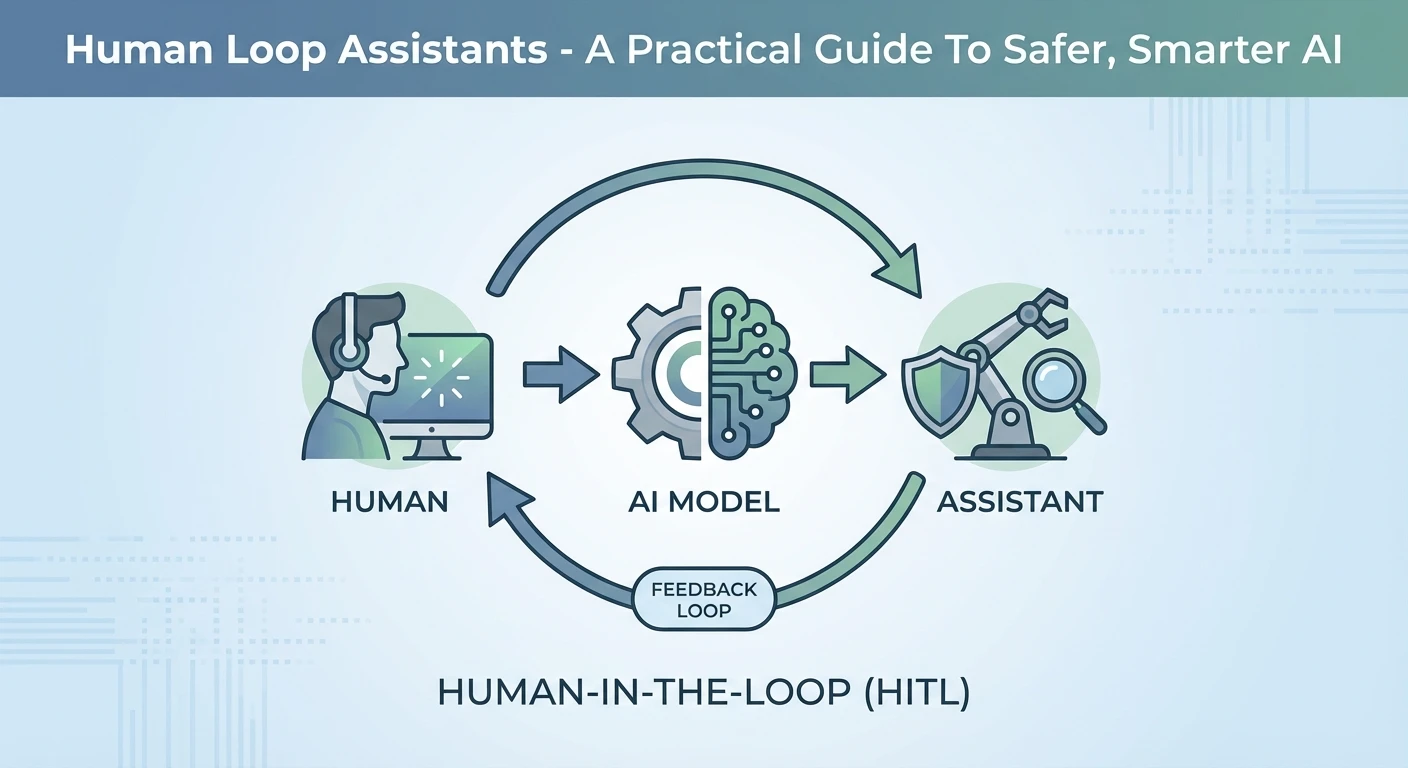
Human loop assistants, often called human-in-the-loop (HITL) systems, sit at the sweet spot between AI speed and human judgment. Instead of letting AI act alone, a person checks, corrects, or approves key steps before anything important happens. This mix is becoming critical as more Australian businesses rely on AI for customer service, finance, and internal operations, especially as they adopt secure Australian AI assistants that must operate safely inside existing governance frameworks.
When you plug human loop assistants into your AI stack, you reduce risk while still gaining automation benefits. You can let AI draft, suggest, and predict, while your team makes the final calls on sensitive or high-impact decisions. In this guide, we will unpack when HITL is needed, how it works in real workflows, what tools support it, and how LYFE AI’s secure, innovative AI solutions can help you design a safe, scalable human loop layer around your existing systems, drawing on patterns that align with established HITL practices.
HITL for compliance, security, and risk management
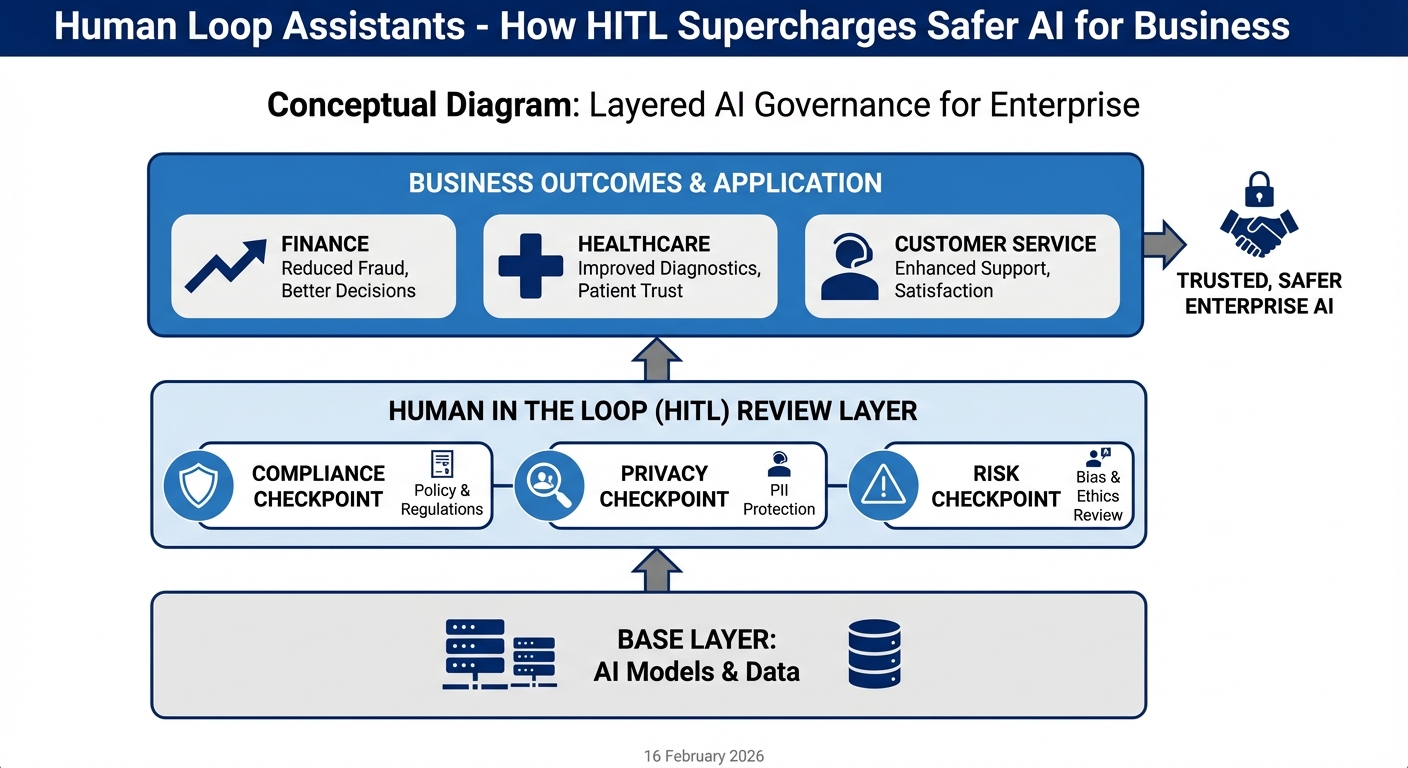
Not every AI system needs human review. If your chatbot just recommends blog posts, full automation is usually fine. But once money, health, legal exposure, or confidential data are in play, human loop assistants shift from nice-to-have to non-negotiable. In high-risk or heavily regulated environments, HITL acts like a safety rail that keeps your AI inside clear boundaries, a pattern echoed in many practical HITL implementation guides.
Think about an AI agent that can create supplier payments from invoices. Without control, a prompt error or model hallucination could schedule a $500,000 payment to the wrong account. A HITL step adds a human approval gate for any transfer over, say, $5,000. The workflow pauses, a finance lead checks the details, and only then can the payment move forward. If anything looks strange, they stop it on the spot.
The same pattern protects sensitive data. In healthcare, a summarisation tool might prepare clinic visit notes. A human clinician reviews the AI draft to ensure nothing breaches privacy rules or misstates a diagnosis before it enters the patient record. In enterprise operations, human reviewers can block AI actions that might leak confidential documents to the wrong team or external party. That is especially important now that many tools connect straight into email, CRMs, ticketing systems, and data warehouses.
Another key role of human loop assistants is policy enforcement. You can encode your organisation’s rules into a workflow: spending caps, approval chains, off-limits systems, or prohibited content. When an AI tries to trigger an action that touches those rules, the process routes to the right reviewer instead. They can overrule the AI, adjust the decision, or let it pass with notes. Over time, these decisions form an audit trail that also trains your future AI and governance processes, similar to how HITL workflows in agent frameworks capture feedback.
For Australian businesses facing growing compliance pressure in finance, healthcare, and government supply chains, this is a practical way to adopt AI without gambling your licence, reputation, or customer trust – and it is exactly the type of governance layer we design in LYFE AI’s professional AI services for regulated sectors.
Human loop assistants in customer service and enterprise AI
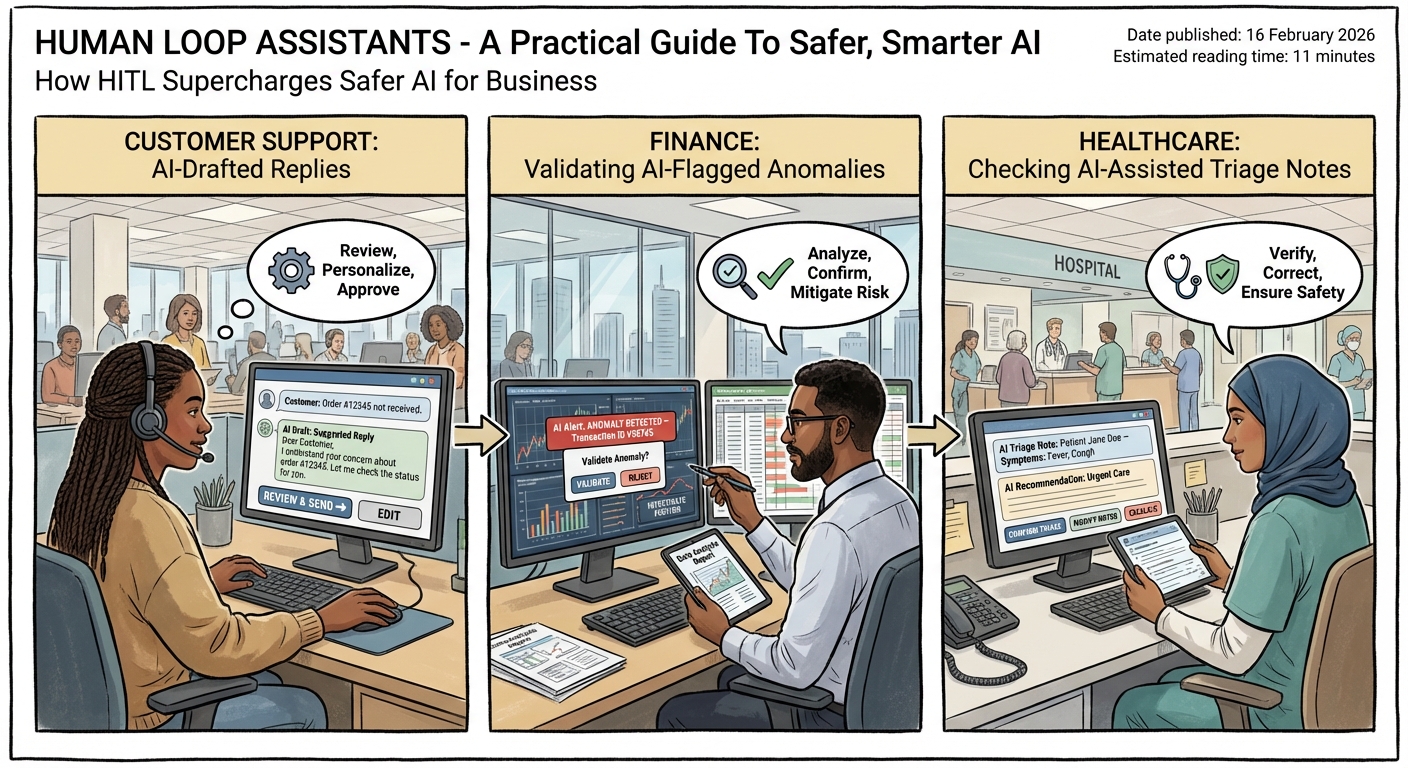
Customer service is one of the clearest places to see human loop assistants in action. Many teams already use AI agents to draft email replies, chat responses, or social media messages. But instead of sending them directly to customers, the AI’s draft appears in a support dashboard. An agent checks tone, accuracy, and policy fit, makes edits in a few seconds, and then hits send – an approach that mirrors the human-review-first workflows recommended in HITL automation best practices.
This pattern keeps the human at the centre of the relationship while still cutting handling time. The AI can read the ticket history, pull product details, and suggest a response that is 80 percent there. The human adds the final 20 percent – nuance, empathy, and context that large models often miss. Over time, the agent learns which suggestions they can trust and which ones always need a closer look, like refunds or complaints involving legal risk.
At an enterprise level, similar HITL designs are showing up inside tools like n8n, Zapier, Tines, and CrewAI. These platforms already orchestrate complex workflows across SaaS tools and internal APIs. When you introduce AI steps, they also give you role-based access control and detailed logging so humans can oversee what the AI is actually doing. You can see who approved which action, when, and with what context.
For example, a workflow might read a sales lead from a form, let an AI enrich it with company research, and then draft a first outreach email. Before anything is sent, though, a business development rep gets a Slack message or dashboard task. They scan the prospect fit, adjust the pitch, and only then release the email. In this way, human loop assistants turn your AI from an unreliable solo agent into a tireless junior helper that always checks in with a senior before touching customers or systems – precisely the sort of pattern we embed in Lyfe AI’s professional deployment projects.
In large organisations, these same patterns support internal operations too. AI can label documents, propose routing for service tickets, or recommend which contracts to review this week. Human reviewers accept or adjust those suggestions, feeding back high-quality signals that keep the whole system grounded in reality as your data and policies change.
Step-by-step framework for adding HITL to AI workflows
It helps to think of human loop assistants as a repeatable pattern, not a one-off fix. A generic HITL workflow usually follows four main steps. Once you understand these, you can reuse them across customer support, finance approvals, HR, or almost any AI use case in your organisation, much like the reusable patterns outlined in agentic HITL workflow case studies.
Step 1 is the trigger. This is the event that starts the process – a web form submission, a new support ticket, an email in a shared inbox, a status change in your CRM, or even a scheduled job. The trigger bundles the key inputs your AI and human will need later, such as customer details, message content, or attached files.
Step 2 is the AI draft. Here an LLM or other model generates a proposed output: a response email, a classification, a routing decision, even a change to some internal record. This is also where you inject your prompts, examples, and business rules so the AI has a clear brief. At this stage, nothing permanent has happened yet. You only have a suggestion – and that suggestion can draw on carefully chosen models like those compared in our GPT‑5.2 vs Gemini 3 Pro guide.
Step 3 is human review. The workflow pauses and routes the draft to a person over email, Slack, Teams, a web dashboard, or a custom review UI. The reviewer can approve, edit, or reject. You can also give them structured options – dropdowns, notes fields, and checklists – so they do not need to type everything from scratch. Their decision becomes the ground truth for that case.
Step 4 is continuation. If the human approves, the workflow moves forward and carries out the action: sending the email, updating the CRM, creating a task, or making a payment. If they reject or heavily edit, the workflow can log this result and trigger a retrial, escalation, or a different branch entirely. For instance, you might escalate high-risk cases to a more senior reviewer or legal team.
A key design rule is to target only high-impact steps for human review. If you add HITL to every tiny action, you will lose the benefits of automation. Instead, pick decision points where a mistake would be expensive, embarrassing, or hard to reverse. Let everything else run fully automatic with strong logging and alerts, backed by robust model choices informed by resources such as our GPT 5.2 Instant vs Thinking cost and routing guide.
Platform patterns – n8n, Zapier, Temporal, CrewAI, and Tines
Different teams use different tools, so it helps to see how human loop assistants look across popular platforms. The core ideas stay the same, but each tool has its own knobs and levers for pause, review, and resume. This makes HITL far more approachable than building everything from scratch, and closely aligns with the patterns you will see in many Temporal HITL workflow tutorials.
In n8n, a no-code automation platform, you create visual node chains like Trigger – LLM – Wait/Approval – If/Branch – Output. The Wait or Approval node pauses the flow until a human makes a decision. You can hook this into Slack so a reviewer sees a message with the AI draft, clicks approve or reject, and n8n then resumes the workflow. Many teams can build these flows in hours, not weeks, because they require little to no custom code.
Zapier offers a similar story but leans on actions like “Collect Data” to build feedback loops. Instead of a simple yes/no, you can ask humans for structured input that refines the AI’s work. For example, a Zap might draft a LinkedIn post, then send it to marketing for tweaks on tone and hashtags. They submit their edits through a Zapier form, and the updated content is what actually gets published.
Temporal takes a more engineering-focused approach. Using its Python SDK and durable workflow system, you implement pauses with workflow.wait_condition plus timeouts. The system listens for Signals – essentially messages from the outside world – to resume once a user decision is available. This pattern suits backend services where you need strong reliability, long-running flows, and the ability to scale many concurrent human review tasks without losing track.
CrewAI introduces HITL with a @human_feedback decorator for local synchronous flows. You can wrap a function so it always checks in with a human before finalising its output. For production, CrewAI also exposes webhook-based HITL, often integrated with Slack or Teams. Tines and similar security-focused tools go for simplicity: real-time pages with clear yes/no prompts to capture reviewer choices for security alerts or automation runs.
Even though these platforms differ, they all provide the same building blocks: pause the AI, surface context to a human, record their call, and then continue with the chosen path. The trick is to choose the platform that best matches your stack, skill sets, and risk profile, then design your human loop assistants around those strengths – and around the broader automation strategy you might already be pursuing with Lyfe AI’s custom automation and agent solutions.
Risk and confidence-based architecture for human loop assistants
Once you move beyond a few simple flows, you need a more systematic architecture for human loop assistants. A common pattern is: Trigger – AI agent – Confidence check – Human review queue (if needed) – Resume workflow. This route lets you avoid swamping your team with low-risk reviews while still catching the hairy edge cases where AI is unsure or the stakes are high, very much in line with the risk-tiered approaches discussed in enterprise HITL confirmation patterns.
The AI agent runs first, then produces not just an output but also a confidence score or some signal of uncertainty. You can estimate this from model metadata, classification probabilities, or heuristics like length, missing fields, or the presence of certain phrases. At the same time, you score the risk based on the type of action: creating a calendar event is low risk; changing a supplier bank account is high risk.
Your confidence check stage then uses rules or a small policy engine to decide. High confidence and low risk? Let it pass automatically. Low confidence or high risk? Divert it into a human review queue. In some designs, you also consider user roles, customer value, or regulatory demands when deciding if a human needs to weigh in.
On the front-end side, you can use server-sent events (SSE) or similar streaming methods to show AI drafts to reviewers in real time. As the AI generates text, the human can already start reading and thinking about their decision instead of waiting for the model to finish. This keeps the whole experience feeling snappy, even for complex tasks.
Back-end systems usually rely on async notifications and queues to manage human workload. New review items go into a queue, assigned to people based on skills or departments. Reviewers get notified via email, chat, or internal tools. When they make a decision, a webhook or API call signals the workflow to continue. This architecture makes it possible to operate thousands of AI-assisted tasks per day without chaos, a scale that pairs well with a disciplined approach to model selection and performance trade-offs.
The real power of this pattern is that it grows with your confidence in the AI. As your models improve or your policies become clearer, you can shrink the human review window by tightening thresholds. The outcome is a living safety net around your AI – one that becomes more efficient over time instead of more fragile.
Practical tips to start with human loop assistants
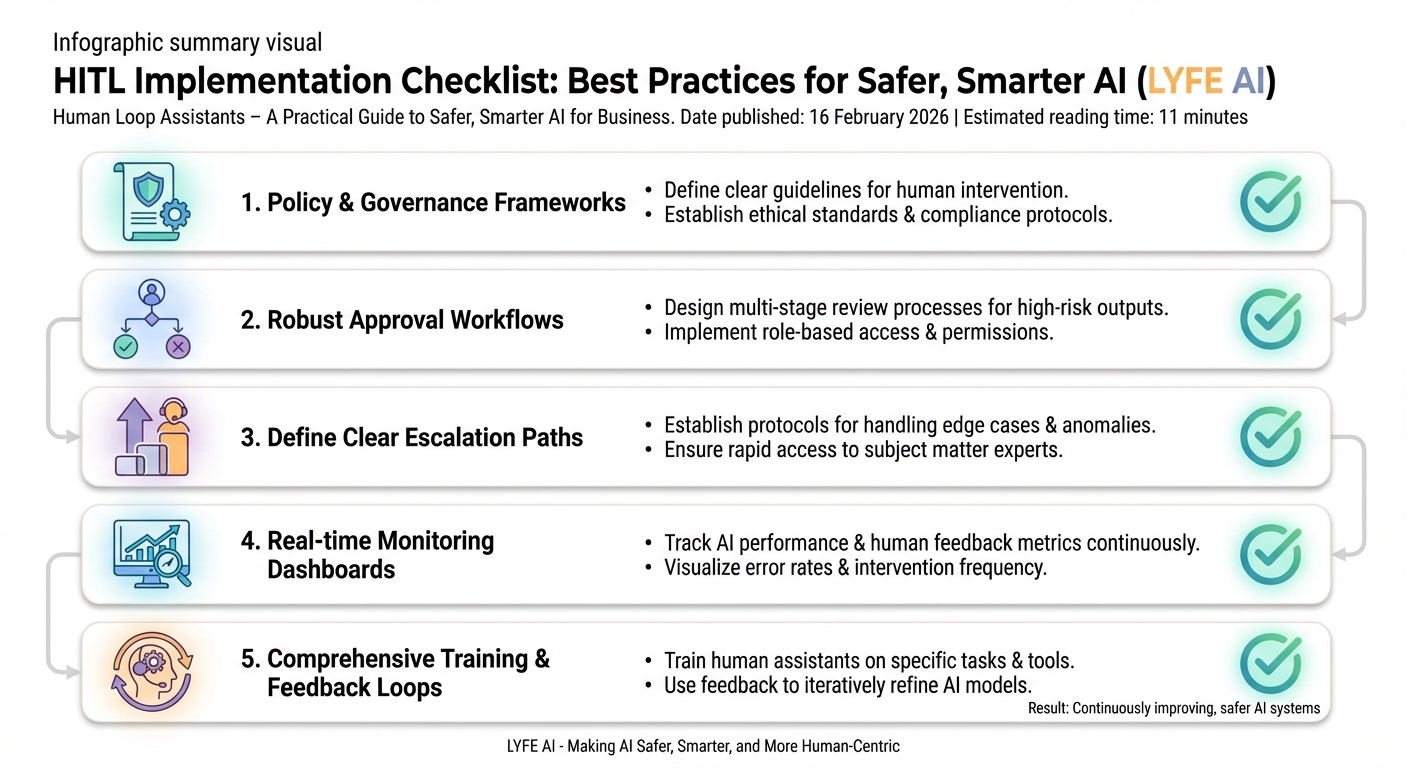
If you are new to human loop assistants, it can feel a bit abstract. The easiest way to start is with a single, contained workflow. Pick one process where AI already helps your team – maybe drafting customer replies, sorting support tickets, or summarising long documents. Then add one clear approval step before the AI can act on your systems or speak to your customers, ideally using the AI infrastructure and governance settings you already have from providers like Lyfe AI.
Set simple rules at first. For example, “Any refund over $200 goes to HITL” or “Any response that mentions legal or medical advice must be reviewed.” Use existing tools like Slack or email to deliver these review tasks, so you do not slow staff down with new logins and dashboards until you know the pattern works for your situation.
Make sure you capture structured feedback from reviewers. Instead of just approve or reject, add quick reasons like “hallucinated facts,” “tone issue,” or “wrong customer data.” These tags help you spot patterns and fine-tune prompts, models, and training data. Over time, you will know exactly where AI shines and where it must stay on a tight lead.
Finally, communicate clearly with your team. Explain that HITL is there to support their judgment, not replace it. In practice, staff often enjoy letting AI handle the boring draft work so they can focus on tricky problems. When they see their feedback shape the whole system, trust in your AI program grows much faster than if you tried to automate everything overnight – and you can even share internal learning resources or curated playlists (such as concise walkthroughs on HITL workflow design) to accelerate that comfort.
Conclusion and next steps with LYFE AI
Human loop assistants give you the best of both worlds – the speed of modern AI and the care of human judgment. By adding clear approval gates at the right points, you protect your customers, your data, and your brand while still gaining serious efficiency gains across support, finance, and operations.
As you design your own HITL patterns, start small, focus on real risk, and build around the tools and teams you already have. If you would like help mapping out a safe, scalable human-in-the-loop architecture for your organisation, reach out to LYFE AI to explore a tailored pilot and see what is possible with the right balance of humans and machines – or dive deeper into our latest AI architecture articles, implementation services, and the associated terms and conditions that govern secure deployments.
Frequently Asked Questions
What are human-in-the-loop assistants in AI?
Human-in-the-loop (HITL) assistants are AI systems where humans review, correct, or approve important steps before actions are taken. Instead of the AI making final decisions on its own, people stay in the loop for higher-risk or sensitive tasks, combining AI speed with human judgment.
Why are human loop assistants important for businesses using AI?
Human loop assistants help businesses reduce the risk of errors, bias, and non-compliance when deploying AI in real workflows. They create a governance layer where humans validate outputs, ensure decisions align with policy and regulation, and provide accountability for high-impact actions like financial approvals or healthcare advice.
When should I use human-in-the-loop instead of fully automating AI?
Use HITL when your AI touches money, health, legal risk, safety, or confidential data, or when decisions have meaningful impact on customers or staff. Low-risk tasks like recommending blog posts can be fully automated, but anything regulated or high-stakes should have human checks, at least at the start while you build trust and data on performance.
How do human loop assistants make AI safer in customer service?
In customer service, human loop assistants can review AI-drafted responses before they’re sent for sensitive topics like cancellations, complaints, or disputes. AI handles routine enquiries, while agents step in to approve or edit messages that involve refunds, legal wording, vulnerable customers, or brand-critical issues.
How can I practically add human-in-the-loop to my existing AI workflows?
You can add HITL by inserting approval steps where AI outputs are routed to humans before execution, such as a queue in your CRM or ticketing tool. Common patterns include AI drafting and humans approving, AI triaging and humans handling edge cases, or AI suggesting decisions with humans making the final call for predefined risk categories.
What is the difference between human-in-the-loop and fully autonomous AI?
Fully autonomous AI systems act on their outputs without human review, which is faster but riskier for complex or regulated tasks. Human-in-the-loop systems deliberately keep people in the decision chain at key points, trading a bit of speed for higher accuracy, compliance, and accountability.
How do human loop assistants help with compliance and governance?
HITL lets you map human approvals to existing policies, audit trails, and segregation-of-duties rules. Every high-risk AI action—like approving a loan, sending a regulated disclosure, or accessing sensitive records—can be logged with which human reviewed it and why it was approved, which is critical for audits and regulators.
Can human-in-the-loop AI still save time if humans have to approve everything?
Yes, because AI still drafts content, classifies cases, and does the heavy lifting, so humans spend time reviewing instead of starting from scratch. Many teams see large time savings by focusing human effort on exceptions, complex judgment calls, and final checks rather than repetitive tasks.
How does LYFE AI support human-in-the-loop assistants for Australian businesses?
LYFE AI designs secure Australian AI assistants with built-in human-in-the-loop patterns tailored to local compliance and data residency requirements. They help you define where humans must approve, how to route tasks to the right people, and how to integrate this oversight layer into your existing systems and workflows.
What are some real-world use cases for human loop assistants in finance and healthcare?
In finance, HITL can be used for transaction monitoring, credit decisions, and fraud flags where AI does the initial scoring and humans review high-risk cases. In healthcare, AI can draft clinical notes, triage messages, or suggest coding while clinicians always confirm, edit, and sign off before anything is stored or communicated to patients.